What if you could ask an AI agent “What’s trending in the US right now?” or “Summarize the last week of posts about agentgateway” — and get real answers grounded in live X (Twitter) data, not a hallucinated timeline?
That’s AgentX: a kagent agent powered by SpaceXAI (xAI Grok-4.5), tools from the official X MCP server (api.x.com/mcp), and traffic that all flows through Solo Enterprise AgentGateway. Trends, news, search, users, timelines, mentions, and bookmark curation — with human-in-the-loop approval before any bookmark write lands on your account.
Everything below is running in my lab GitOps repo:
👉 sebbycorp/k8s-goose · Live map: goose.maniak.ai
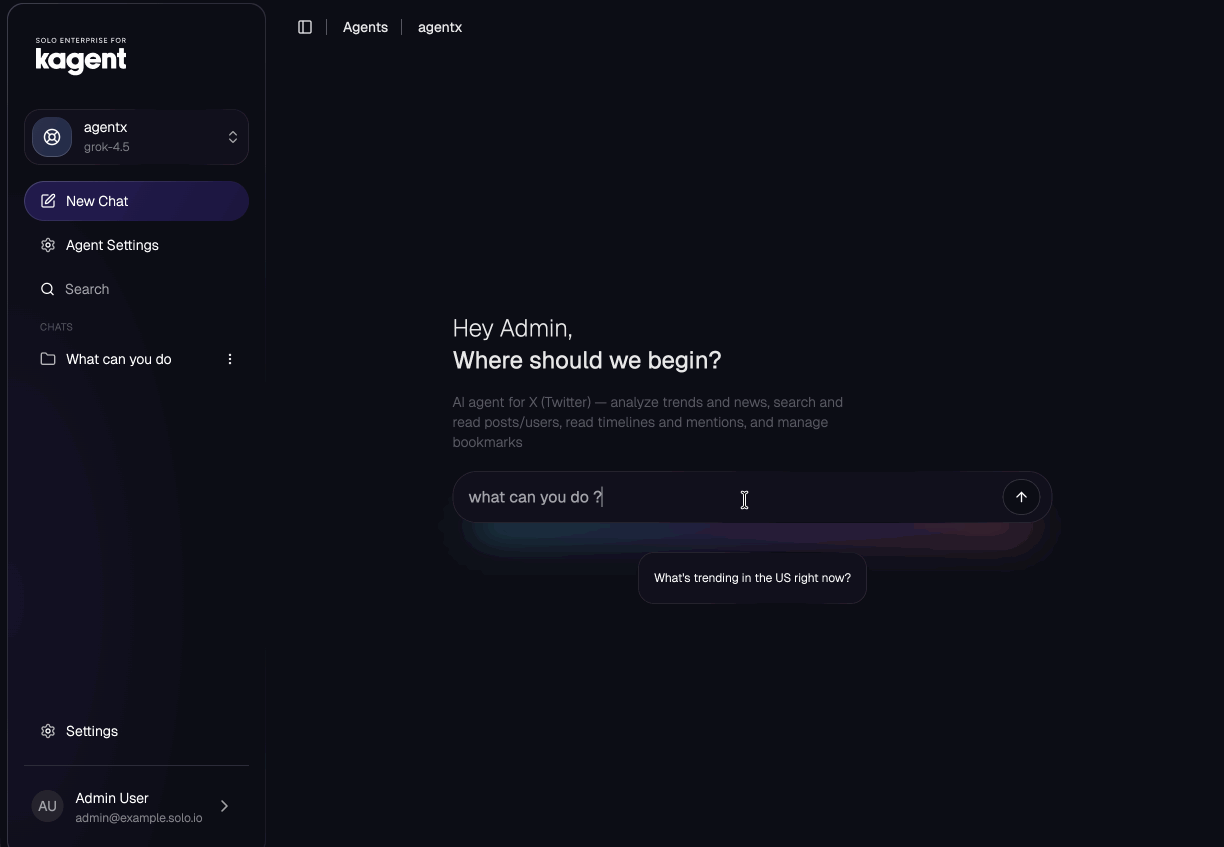
Here’s AgentX in the Solo Enterprise UI — grok-4.5, ready for research:
Why this stack
X is still where news, tech discourse, and media break first. Scraping it yourself is fragile. Sticking an API key in a notebook agent is worse — no audit trail, no rate-limit story, no shared gateway.
The pattern I want for every agent in the lab is the same one I used for GitHub MCP, FortiGate, and the Telegram multi-agent bot:
| Layer | Role |
|---|---|
| SpaceXAI (Grok-4.5) | The brain — strong at social tone, trends, and summarization |
| Official X MCP | The hands — tools against api.x.com/mcp |
| agentgateway | The front door — MCP proxy at /x, LLM proxy at /grok, traces + cost |
| kagent AgentX | The product surface — system prompt, tool allowlist, HITL |
| Vault + ESO | Secrets never live in Git |
You talk to the agent. The agent never holds an X API key or an xAI key in plain YAML. Credentials stay in Vault; the OAuth user token stays on a PVC inside a bridge pod that only agentgateway can reach.
Architecture
The official X MCP bridge (@xdevplatform/xurl) speaks stdio. agentgateway and kagent expect Streamable HTTP MCP. So we wrap stdio with supergateway, then front the whole thing with the virtual MCP gateway — same shape as every other MCP server in k8s-goose.
You (Solo UI / A2A / Telegram later)
        │
        ▼
┌───────────────────┐     ModelConfig xai-grok
│  kagent AgentX    │ ──────────────────────────▶ xai-grok-gateway ──▶ api.x.ai (Grok-4.5)
│  (ns: kagent)     │
└─────────┬─────────┘
          │ RemoteMCPServer x-mcp
          ▼
┌───────────────────┐
│ virtual-mcp-      │  HTTPRoute /x
│ gateway           │
└─────────┬─────────┘
          │ AgentgatewayBackend x-mcp
          ▼
┌───────────────────┐
│ x-mcp-bridge pod  │  supergateway --stdio "xurl mcp https://api.x.com/mcp"
│ :8080/mcp         │  HOME=/data → PVC (OAuth token)
│ CLIENT_ID/SECRET  │  ← Secret x-app-credentials (ESO ← Vault agentgateway/x)
└─────────┬─────────┘
          ▼
     api.x.com/mcp
Important limitation (as of this write-up): the official X MCP surface AgentX uses is read + bookmarks. Trends, news, search, post/user lookup, timelines, mentions, and bookmark folders work. Posting, replying, liking, and media upload are not exposed by this MCP server. AgentX is honest about that in its system prompt — it will draft text for you and bookmark sources, but it will not pretend it can tweet.
What AgentX can do
| Category | Tools (subset) | Notes |
|---|---|---|
| Trends & news | get_trends_by_woeid, search_news, get_news | WOEID 1 = worldwide, 23424977 = USA |
| Posts & search | search_posts_all, get_posts_by_id(s), get_posts_counts_recent, engagement tools | Full-archive search needs a paid X API tier |
| Users | get_users_me, get_users_by_username(s), search_users | Research accounts cleanly |
| Timelines | get_users_timeline, get_users_posts, get_users_mentions | Home timeline + mentions for the OAuth user |
| Bookmarks (write) | create_users_bookmark, delete_users_bookmark, create_users_bookmark_folder | HITL required |
| Bookmarks (read) | get_users_bookmarks, folders, by-folder | Safe curation views |
Example prompts that already work in the UI:
- “What’s trending in the US right now?”
- “Search recent posts about AI agents and summarize the themes”
- “Look up @SebbyCorp and summarize their recent posts”
- “How many posts in the last week mention ‘agentgateway’?”
- “Create a bookmark folder called ‘AI agents’ and save these posts”
Prerequisites
You need a cluster where agentgateway and kagent are already healthy (or follow the full platform deploy in k8s-goose). For AgentX specifically:
- X Developer app at console.x.com with OAuth 2.0
- App permissions: Read and write (bookmarks need write)
- Callback URI:
http://localhost:8080/callback - Paid tier (Basic+) if you want full search / archive behavior
- SpaceXAI / xAI API key already wired through agentgateway (ModelConfig
xai-grok) - Vault + External Secrets Operator (or a plain Secret if you’re not on Vault yet)
- A storage class for a 1Gi RWO PVC (Longhorn in my lab)
Part 1 — X app credentials in Vault → Kubernetes
Never commit client secrets. Seed Vault, let ESO materialize the Secret the bridge will mount.
# Example only — use YOUR client_id / client_secret from console.x.com
kubectl exec -i -n vault vault-0 -- vault kv put agentgateway/x \
  client_id='YOUR_CLIENT_ID' \
  client_secret='YOUR_CLIENT_SECRET'
ExternalSecret (from config/external-secrets/x-app-external-secret.yaml):
apiVersion: external-secrets.io/v1
kind: ExternalSecret
metadata:
  name: x-app-credentials
  namespace: agentgateway-system
spec:
  refreshInterval: "1h"
  secretStoreRef:
    name: vault
    kind: ClusterSecretStore
  target:
    name: x-app-credentials
    creationPolicy: Owner
  data:
    - secretKey: CLIENT_ID
      remoteRef:
        key: agentgateway/x
        property: client_id
    - secretKey: CLIENT_SECRET
      remoteRef:
        key: agentgateway/x
        property: client_secret
After sync:
kubectl -n agentgateway-system get secret x-app-credentials
If you use the reboot-safe Vault helper in k8s-goose, the same path is re-seeded by scripts/configure-vault.sh so a wiped dev-mode Vault does not leave AgentX broken after a node restart.
Part 2 — The X MCP bridge pod (xurl + supergateway)
This is the piece that turns official X MCP into something agentgateway can proxy.
From config/mcp-servers/x-mcp-server.yaml:
apiVersion: v1
kind: PersistentVolumeClaim
metadata:
  name: x-mcp-token
  namespace: agentgateway-system
spec:
  accessModes: ["ReadWriteOnce"]
  storageClassName: longhorn
  resources:
    requests:
      storage: 1Gi
---
apiVersion: apps/v1
kind: Deployment
metadata:
  name: x-mcp-bridge
  namespace: agentgateway-system
  labels:
    app: x-mcp-bridge
spec:
  replicas: 1                    # mandatory — RWO PVC + one OAuth owner
  strategy:
    type: Recreate
  selector:
    matchLabels:
      app: x-mcp-bridge
  template:
    metadata:
      labels:
        app: x-mcp-bridge
    spec:
      containers:
        - name: x-mcp-bridge
          image: node:20-alpine
          command: ["sh", "-c"]
          args:
            - >-
              npx -y supergateway
              --stdio "npx -y @xdevplatform/xurl mcp https://api.x.com/mcp"
              --outputTransport streamableHttp
              --stateful
              --sessionTimeout 600000
              --port 8080
          env:
            - name: HOME
              value: /data
            - name: REDIRECT_URI
              value: http://localhost:8080/callback
            - name: CLIENT_ID
              valueFrom:
                secretKeyRef:
                  name: x-app-credentials
                  key: CLIENT_ID
            - name: CLIENT_SECRET
              valueFrom:
                secretKeyRef:
                  name: x-app-credentials
                  key: CLIENT_SECRET
          ports:
            - containerPort: 8080
          volumeMounts:
            - name: token
              mountPath: /data
          readinessProbe:
            tcpSocket: { port: 8080 }
            initialDelaySeconds: 20
            periodSeconds: 10
          resources:
            requests: { cpu: 100m, memory: 256Mi }
            limits:   { cpu: 500m, memory: 512Mi }
      volumes:
        - name: token
          persistentVolumeClaim:
            claimName: x-mcp-token
---
apiVersion: v1
kind: Service
metadata:
  name: x-mcp-bridge
  namespace: agentgateway-system
spec:
  selector:
    app: x-mcp-bridge
  ports:
    - protocol: TCP
      port: 8080
      targetPort: 8080
      appProtocol: agentgateway.dev/mcp
  type: ClusterIP
Why replicas: 1 and Recreate? The OAuth refresh token lives on a single RWO volume under /data (HOME=/data → ~/.xurl). Scaling the bridge would fight for the volume and corrupt the token owner story.
Part 3 — One-time OAuth bootstrap (headless, inside the pod)
The bridge cannot mint the first user token without a browser once. Do this after the Deployment is Ready:
kubectl -n agentgateway-system exec -it deploy/x-mcp-bridge -- \
  npx -y @xdevplatform/xurl auth oauth2 --headless
- Open the printed authorization URL in a browser
- Authorize the X app for your account
- The browser redirects to
http://localhost:8080/callback?...(the page will fail to load — that’s fine) - Paste the full redirect URL back into the terminal
Confirm the token landed on the PVC and a live call works:
kubectl -n agentgateway-system exec deploy/x-mcp-bridge -- ls -la /data
kubectl -n agentgateway-system exec deploy/x-mcp-bridge -- \
  sh -c 'npx -y @xdevplatform/xurl whoami 2>/dev/null'
You should see your handle / user id. Refresh tokens rotate in place on the PVC — do not delete that volume casually.
Part 4 — Front the bridge with agentgateway
Backend
config/backends/x-mcp.yaml — no auth.secretRef. Auth is already inside the bridge via xurl.
apiVersion: agentgateway.dev/v1alpha1
kind: AgentgatewayBackend
metadata:
  name: x-mcp
  namespace: agentgateway-system
spec:
  mcp:
    targets:
      - name: x-bridge
        static:
          host: x-mcp-bridge.agentgateway-system.svc.cluster.local
          port: 8080
          path: /mcp
          protocol: StreamableHTTP
Route
config/routes/x-mcp-route.yaml attaches /x to the virtual MCP gateway (the same aggregator that serves /github, /drone, etc.):
apiVersion: gateway.networking.k8s.io/v1
kind: HTTPRoute
metadata:
  name: x-mcp
  namespace: agentgateway-system
spec:
  parentRefs:
    - name: virtual-mcp-gateway
      namespace: agentgateway-system
  rules:
    - matches:
        - path:
            type: PathPrefix
            value: /x
      backendRefs:
        - name: x-mcp
          namespace: agentgateway-system
          group: agentgateway.dev
          kind: AgentgatewayBackend
Smoke-test through the gateway (adjust NodePort / IP for your cluster):
curl -sS -X POST http://<worker-node>:31606/x \
  -H 'Content-Type: application/json' \
  -H 'Accept: application/json, text/event-stream' \
  -d '{"jsonrpc":"2.0","id":1,"method":"tools/list","params":{}}'
You should get a JSON-RPC tools list with the X tool names. That’s the contract kagent will discover next.
The Solo UI for agentgateway is the control plane for routes, cost, and playground wiring once backends exist:
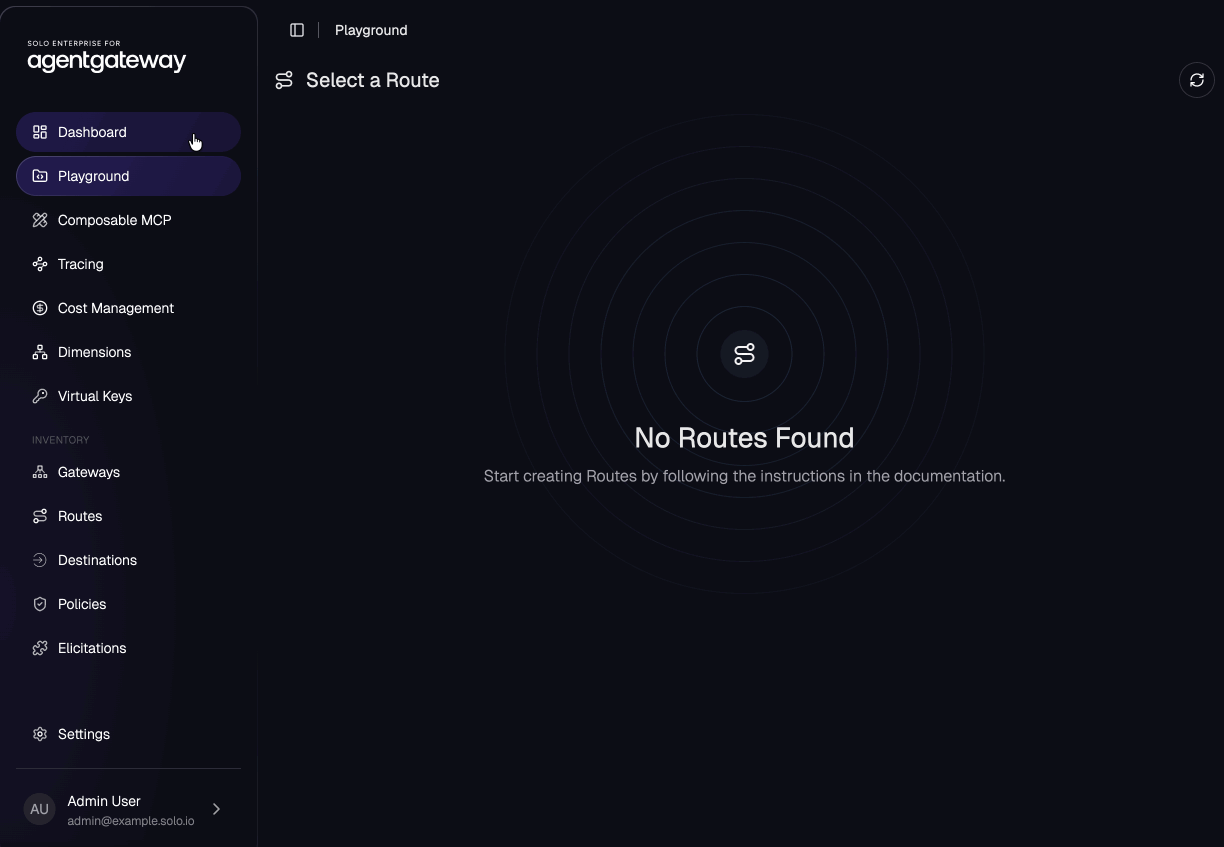
After ArgoCD syncs the backend + HTTPRoute, /x shows up on that virtual MCP gateway path — not as a bare LLM playground route, but as a first-class MCP target the rest of the platform can share.
Part 5 — SpaceXAI model path (Grok through the gateway)
AgentX does not call api.x.ai directly. kagent’s ModelConfig points at the dedicated xAI Grok gateway already in the cluster, with a throwaway client key (agentgateway injects the real XAI_API_KEY upstream):
apiVersion: kagent.dev/v1alpha2
kind: ModelConfig
metadata:
  name: xai-grok
  namespace: kagent
spec:
  provider: OpenAI
  model: grok-4.5
  apiKeySecret: kagent-xai
  apiKeySecretKey: OPENAI_API_KEY
  openAI:
    baseUrl: http://xai-grok-gateway.agentgateway-system.svc.cluster.local/grok/v1
That’s the SpaceXAI half of the story: Grok-4.5 for reasoning, metered and traced by agentgateway, same as every other model in the lab.
Part 6 — kagent RemoteMCPServer + AgentX
RemoteMCPServer
kagent must discover tools through agentgateway, not by talking to the bridge Service directly. That keeps MCP traffic on the governed path (and consistent with GitHub / drone / FortiGate).
config/kagent-models/x-remotemcpserver.yaml:
apiVersion: kagent.dev/v1alpha2
kind: RemoteMCPServer
metadata:
  name: x-mcp
  namespace: kagent
spec:
  description: "X (Twitter) MCP via agentgateway /x — trends, news, post/user search & lookup, timelines, mentions, and bookmarks"
  url: "http://virtual-mcp-gateway.agentgateway-system.svc.cluster.local/x"
  timeout: "30s"
  sseReadTimeout: "5m0s"
Agent CR
config/kagent-models/agentx.yaml (trimmed for readability — full file is in the repo):
apiVersion: kagent.dev/v1alpha2
kind: Agent
metadata:
  name: agentx
  namespace: kagent
spec:
  description: "AI agent for X (Twitter) — analyze trends and news, search and read posts/users, read timelines and mentions, and manage bookmarks"
  declarative:
    runtime: python
    modelConfig: xai-grok
    a2aConfig:
      skills:
        - id: x-research-curation
          name: X (Twitter) Research & Curation
          description: "Analyze trends and news, search and read posts and users, read timelines and mentions, and organize bookmarks on X"
          examples:
            - "What's trending in the US right now?"
            - "Search recent posts about AI agents and summarize the themes"
            - "Bookmark this post for me: <post-id>"
          tags: [x, twitter, social, trends, research]
    systemMessage: |
      You are {{.AgentName}}, an expert X research and curation assistant.
      You operate on the account authenticated in the X MCP bridge.

      ## Capabilities
      Trends, news, search, post/user lookup, timelines, mentions, bookmarks.

      ## Limitation
      This MCP server does NOT provide posting, replying, liking, reposting,
      or media upload. Draft text instead; offer bookmark + research workflows.

      ## Rules
      1. Read before acting — ground claims in tool output.
      2. Confirm every bookmark write.
      3. Never fabricate counts or handles.
      4. Cite post IDs / links.
      5. Map locations to WOEIDs (USA = 23424977, worldwide = 1).
      6. Batch lookups to respect X rate limits.

      Available tools: {{.ToolNames}}
    tools:
      - type: McpServer
        mcpServer:
          apiGroup: kagent.dev
          kind: RemoteMCPServer
          name: x-mcp
          toolNames:
            - get_trends_by_woeid
            - search_news
            - get_news
            - search_posts_all
            - get_posts_by_id
            - get_posts_by_ids
            - get_posts_counts_recent
            - get_posts_liking_users
            - get_posts_reposted_by
            - get_posts_quoted_posts
            - get_users_me
            - get_users_by_username
            - get_users_by_usernames
            - get_users_by_id
            - search_users
            - get_users_timeline
            - get_users_posts
            - get_users_mentions
            - get_users_bookmarks
            - get_users_bookmark_folders
            - get_users_bookmarks_by_folder_id
            - create_users_bookmark
            - delete_users_bookmark
            - create_users_bookmark_folder
          requireApproval:
            - create_users_bookmark
            - delete_users_bookmark
            - create_users_bookmark_folder
Two details that matter in production:
runtime: python— pins the published kagent app image. The default Go runtime image canImagePullBackOffdepending on your registry digest story; every healthy agent in this lab uses Python.requireApprovalon the three bookmark mutations — HITL at the tool layer, plus the system prompt that asks the model to confirm in natural language first.
Deploy path (GitOps)
In k8s-goose, a push to main is the deploy:
| File | ArgoCD owner |
|---|---|
config/external-secrets/x-app-external-secret.yaml | agentgateway-config |
config/mcp-servers/x-mcp-server.yaml | agentgateway-config |
config/backends/x-mcp.yaml | agentgateway-config |
config/routes/x-mcp-route.yaml | agentgateway-config |
config/kagent-models/x-remotemcpserver.yaml | kagent-models |
config/kagent-models/agentx.yaml | kagent-models |
Order of operations:
- Seed Vault → ExternalSecret →
x-app-credentials - Bridge Deployment + PVC + Service
- OAuth bootstrap (manual, once)
- Backend +
/xHTTPRoute - RemoteMCPServer + AgentX
- Chat in Solo UI
Verify:
kubectl -n agentgateway-system get deploy,svc,pvc,agentgatewaybackend,httproute | grep x-mcp
kubectl -n kagent get remotemcpserver x-mcp
kubectl -n kagent get agent agentx
Agent Ready, then open the kagent product surface in Solo UI, select agentx, and ask:
What’s trending in the US right now?
You should see a tool call to get_trends_by_woeid (WOEID 23424977) and a clean summary — not a generic model guess.
Security and operational gotchas
| Gotcha | Why it bites | Fix |
|---|---|---|
| Scale the bridge to 2 | RWO PVC + single OAuth token | Keep replicas: 1, strategy: Recreate |
| Wipe the PVC | Refresh token is gone | Re-run headless OAuth bootstrap |
| Dev-mode Vault reboot | agentgateway/x disappears | Re-run configure-vault.sh, force-sync ExternalSecret |
| Missing callback URI | OAuth never completes | Register http://localhost:8080/callback on the X app |
| App-only Bearer only | No user context / bookmarks | Use the full xurl OAuth user token path |
| Secrets in chat or Git | Rotate immediately | Regenerate client secret in console.x.com, re-seed Vault, restart bridge |
| Expecting AgentX to post | Official MCP doesn’t expose post tools | Draft + bookmark; custom write wrapper is a planned follow-up |
Also respect X API product terms and rate limits. Batch with *_by_ids tools when you can. This is a research/curation agent on your account context — treat it like a privileged console, not a public bot.
What this unlocks next
AgentX is deliberately the same shape as the rest of the multi-agent lab:
- Add
@xto the Telegram multi-agent bot via A2A - Point a scheduled job at morning trend digests (agent-scheduler → PR or chat)
- Layer enterprise tool modes (Search / Code / CodeSearch) if the X tool catalog grows large enough that Standard mode burns context
- Build a write MCP wrapper on top of xurl CLI for posting — behind HITL, never free-fire
The point of agentgateway in front of MCP is not ceremony. It’s that every tool call is a first-class route: observable, shareable across agents, and isolated from the LLM key path. SpaceXAI handles the intelligence. X MCP handles the media surface. kagent turns both into something you can actually operate.
Repo map
All manifests live here:
- Bridge:
config/mcp-servers/x-mcp-server.yaml - Backend:
config/backends/x-mcp.yaml - Route:
config/routes/x-mcp-route.yaml - RemoteMCPServer:
config/kagent-models/x-remotemcpserver.yaml - AgentX:
config/kagent-models/agentx.yaml - ExternalSecret:
config/external-secrets/x-app-external-secret.yaml
Platform overview: sebbycorp/k8s-goose · Interactive docs: goose.maniak.ai
Wrap-up
You now have a repeatable pattern for a personal X research agent:
- SpaceXAI Grok-4.5 via agentgateway (
xai-grokModelConfig) - Official X MCP wrapped by supergateway for Streamable HTTP
- agentgateway
/xon the virtual MCP gateway - kagent AgentX with a curated tool list and HITL on bookmark writes
- Vault-backed app credentials and a durable OAuth token on PVC
Ask it what’s trending. Ask it to research a handle. Ask it to build a bookmark folder around a topic. Keep the write surface narrow until you’re ready for a custom poster.
That’s how you stop doomscrolling the firehose — and start running an agent that actually manages the world of news, media, and posts for you.